40 Done For You Author Website Color Schemes
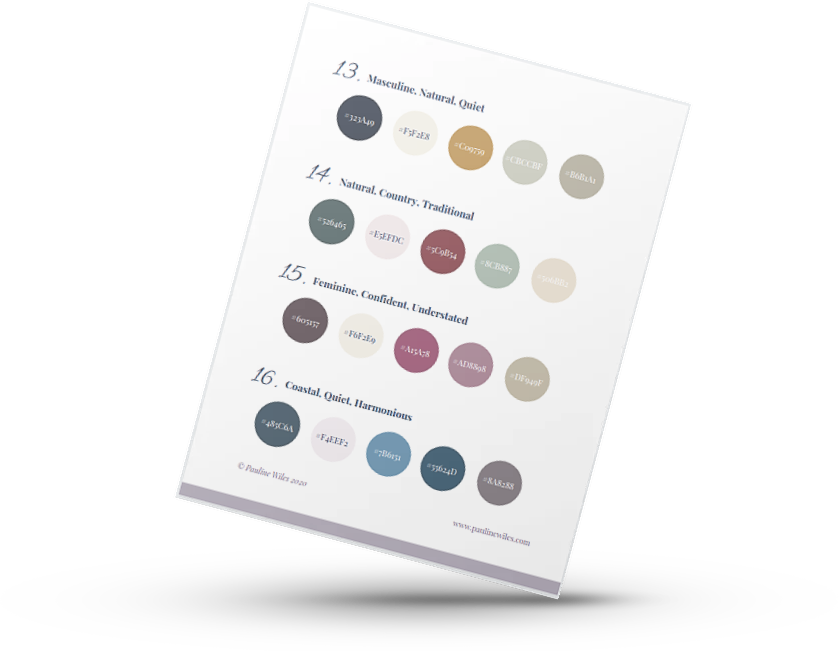
I’m a huge fan of color, and selecting the right palette is one of my favorite parts of creating an author website.
Often, your book cover(s) point the way, but if you haven’t yet finalized your cover or you need more inspiration, look no further!
I hope you enjoy exploring these choices as much as I enjoyed creating them.
Color associations for your author website
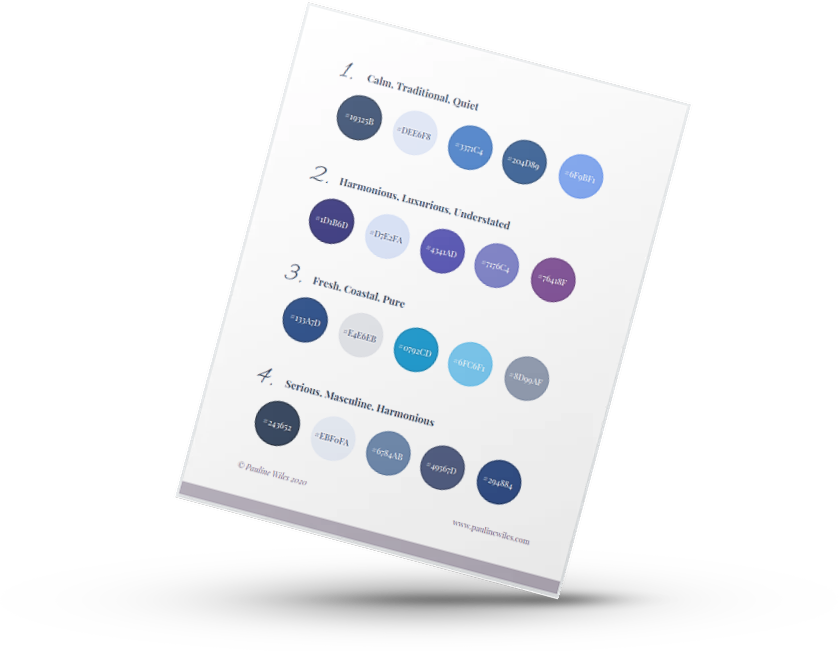
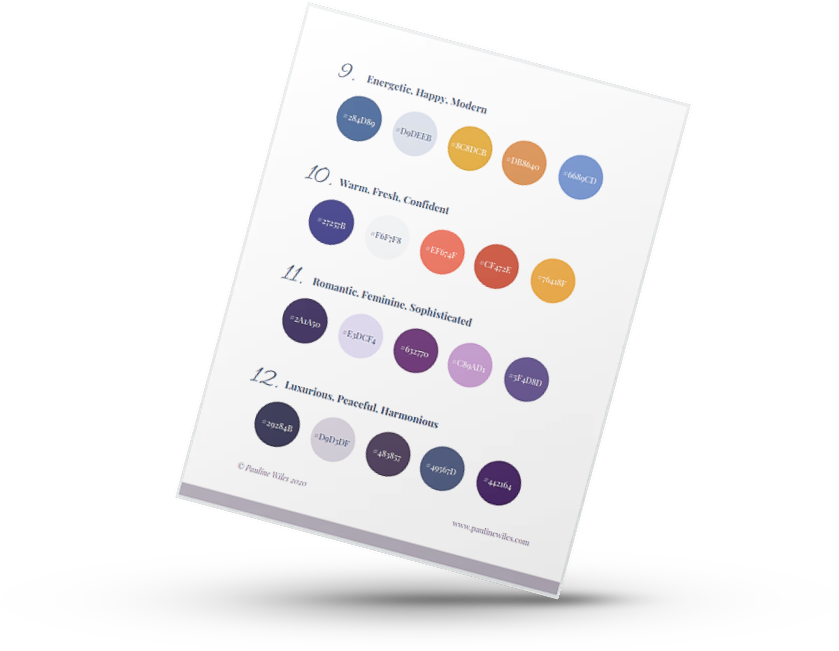
Color is often used to signal writing genre (or at least the reaction that you want your readers to feel), so I've listed adjectives that would typically be associated with each color palette.
Note that color responses do vary across cultures, and these adjectives correspond to how website viewers from Europe and North America will probably interpret your colors. For more information on international responses to color, I recommend this chart from Information Is Beautiful: bit.ly/colors-cultures
Download your free PDF here (no email signup required):
How to use these color schemes
When you have found a color scheme you'd like to try, I recommend you use:
The darkest color (far left) as your text
The palest color (second from left) as your background*
One of the other colors, typically the most eye-catching, for your buttons, links, and Calls to Action;
Optionally, the remaining 2 colors for button hover and other accents.
The code shown in the middle of each colored circle is the "Hex" color identifier that you will use to specify this precise color in your website tool.
*I often find that, when used in large doses, even colors that appear pale in a chart like this can be overwhelming. You may need to lighten, or fade, your background color still more.
Example of how to use these color palettes:
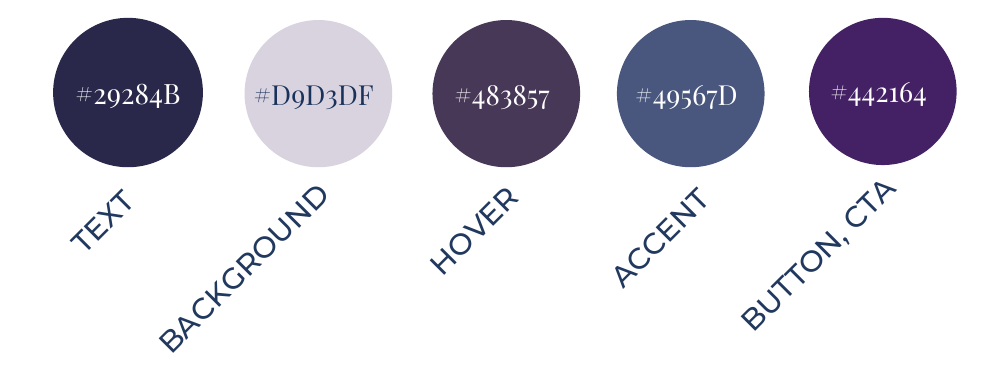
And while you could use the darkest color as your background, and the lightest color as your text, as a beginner, it's much easier to pull off a design using dark text on a pale background. The exception here is if you’re a thriller or horror writer, when it’
Setting your website colors in Squarespace
Squarespace makes life straightforward. You’ll set 5 main colors for your website palette and (unless you dig into the settings to change them in specific places), and then the tool creates consistent, themed options for each section that look fabulous. 90% of the time, these 5 colors are enough, even for my custom author website projects.
Conclusion - Are you ready to use color to sell more books?
Color is just one of many areas where my clients appreciate my professional guidance, designer eye, and book marketing experience.
If you want an author website that engages your readers and sets you up for business results, let’s design, build, and launch your online home together.
Learn more about working with me, and then inquire here.
More color and design tips for a powerful author website
Case study: Choosing website colors
15 best resources for website colors
Author website inspiration: spring colors
7 ways that Squarespace helps you stay consistent
Save 10% off your first subscription for a Squarespace website by using the code PAULINE10
This article contains affiliate links. I only recommend products and services that I love, and I may earn a small commission if you purchase through one of my links. But you don’t pay any extra.